


A Content Writer's First Guide to Connecting APIs with Craft Agents
As a beginner Content Writer, I mostly use AI to brainstorm ideas, ask quick questions, or unblock writer's block. But APIs? In my mind, APIs were developer territory—you had to hunt down endpoints, wade through documentation, read raw JSON, and figure out where to put API keys.
Things changed when I tried Craft Agents (you can use my customized mod Sonjj Agents which I just made public, or the original Craft Agents from the project creator). I could describe what I wanted in plain English. The agent helped find the documentation, explained config fields, and added the Source. Instead of taking forever like I had imagined, the process was surprisingly fast and helped me cross that initial barrier effortlessly.
Sources Connected & My Experience Level
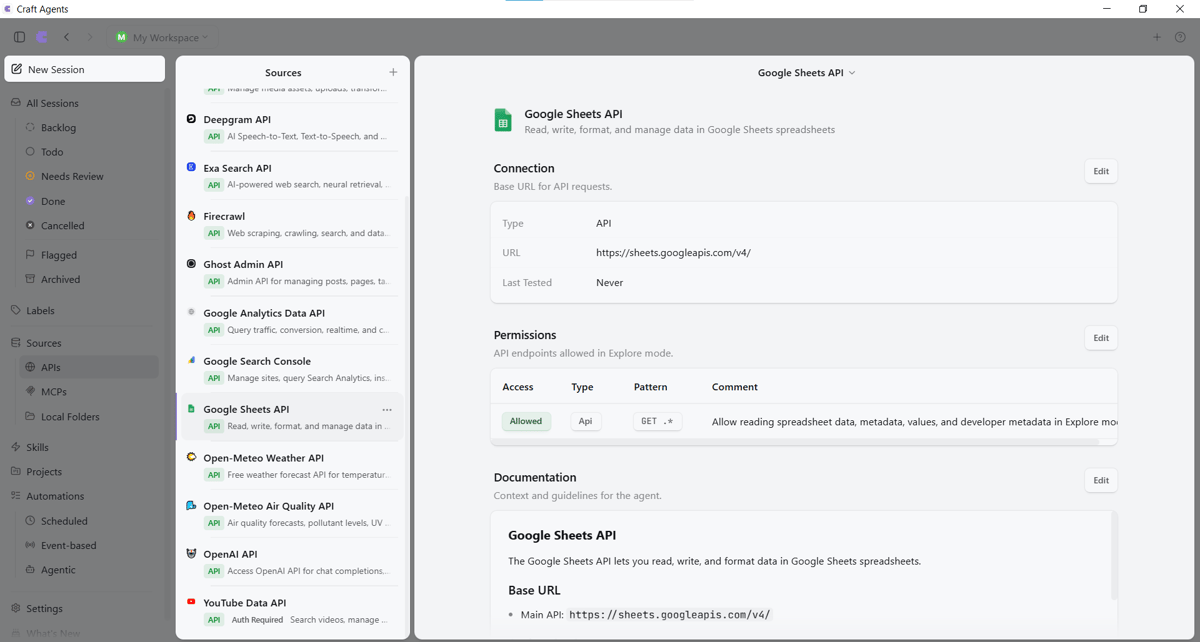
| Category | Sources Connected | Testing Depth |
|---|---|---|
| Research | Exa, Firecrawl, Google Sheets | Tested directly |
| Audio/Video | AssemblyAI, Deepgram, OpenAI, YouTube Data API | Connected, not deeply tested |
| Publishing/Media | Ghost Admin API, Cloudinary | Connected, not deeply tested |
| Data/Analytics | Google Analytics | Connected, not deeply tested |
| Public Data | Open-Meteo Air Quality API | Tested directly |
Note: Connected sources don't mean every workflow has been fully tested.
Craft Agents interface displaying connected API sources.
"This was when I started seeing Sources as specialized connections behind Craft Agents."
The moment that changed my perspective on AI was realizing Craft Agents doesn't just answer questions from pre-existing knowledge—it connects to specialized services to fetch real-time data and automate workflows. In this post, I'll share two real-world case studies I tested hands-on:
- Open-Meteo Air Quality API: Answering the practical question: "Can I visit the Imperial City of Hue tomorrow? What will the weather and air quality look like?" using hourly US AQI, PM2.5, PM10, and UV index data for the Imperial City of Hue.
- Exa Search + Firecrawl + Google Sheets: Automating research on 20 public companies filing 2026 SEC reports, extracting EINs, and exporting standardized reports to Google Sheets. The run took about 15 minutes—representing an estimated 96%–98% time savings compared to manual work.
I'm sharing two real tests, then walking you through your first read-only API that requires no key.
The goal of this post isn't to turn you into a developer, but to show you how AI agents expand when connected to APIs—and how to verify results yourself before using them in real work.
My First API Test: Checking Air Quality in Hue
Adding a new API Source felt strangely satisfying.
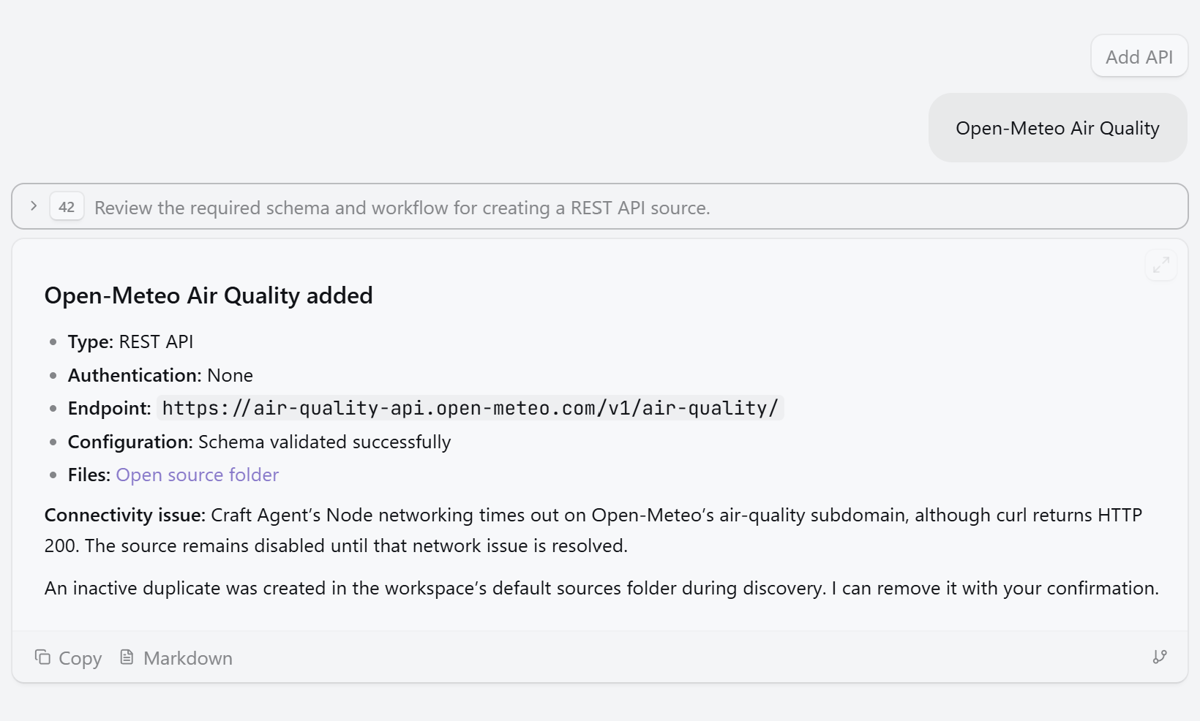
Instead of hunting down endpoints and configuring everything manually, I simply described the connection I wanted.
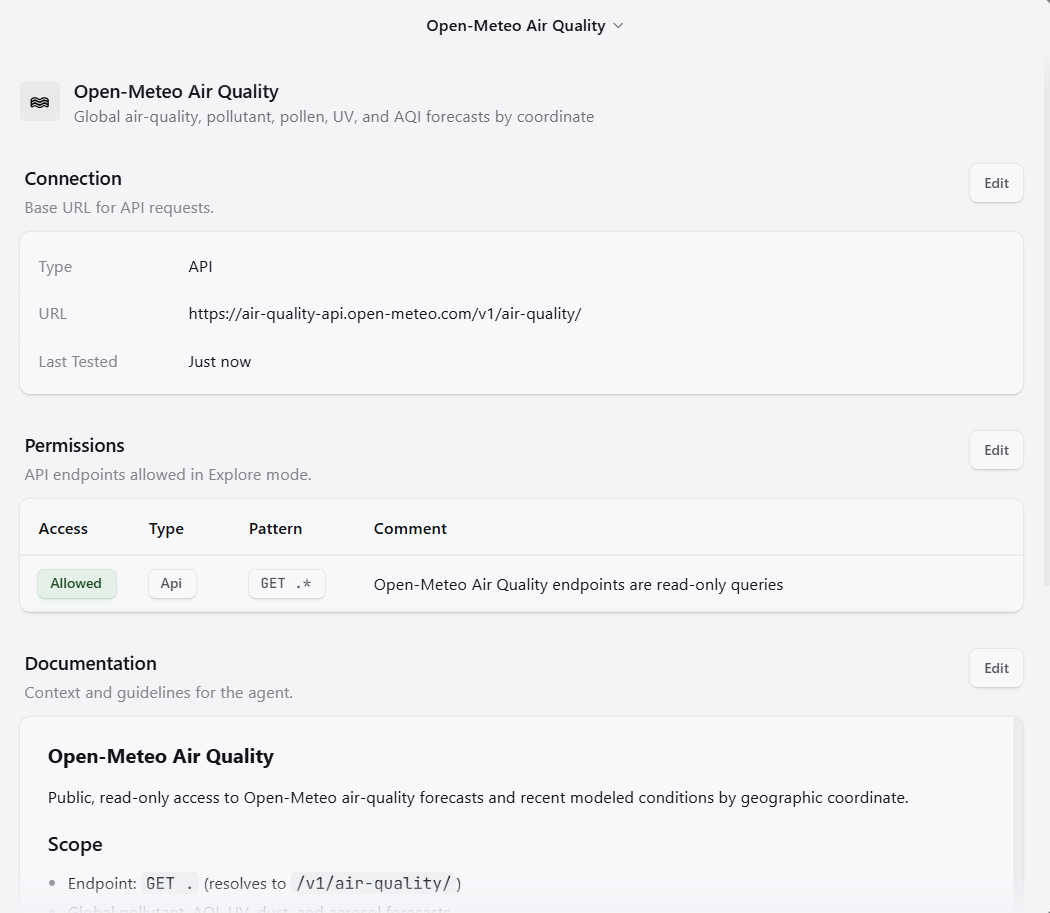
Connected
I used to think adding an API was a tedious sequence: find the documentation page, grab the endpoint, decipher every field, and configure it manually. If the service required credentials, I'd also have to figure out where to place keys and access permissions. Just looking at that list made me want to push it off until later.
With Craft Agents, the biggest twist was starting with a conversation. I just stated the service I wanted to connect and what I planned to do. The agent helped find the API, explained missing info, and added the Source. For public APIs requiring no key—like Open-Meteo Air Quality—the experience was practically: name the API, wait a moment for the agent to set it up, and run a quick test query.
I still want to keep things balanced. Experienced developers might find conversational setup and waiting times slower than tweaking raw config files directly. But for me, it was much faster and far more accessible because I didn't have to solve technical puzzles from scratch.
Craft Agents doesn't cater to beginners at the expense of power users. It shifts the hard question from "How do I code this configuration?" to "What goal am I trying to achieve, what permissions should I grant, and is the output accurate?" The difficulty doesn't vanish—it moves to a place where non-coders can actually understand and control it.
APIs Are Like Service Counters: Taking Requests, Delivering Results
At times, I called this meeting the "assistant's assistant." That captures how it felt, though technically it's not quite accurate. An API doesn't think on its own; it supplies data or executes actions according to set rules.
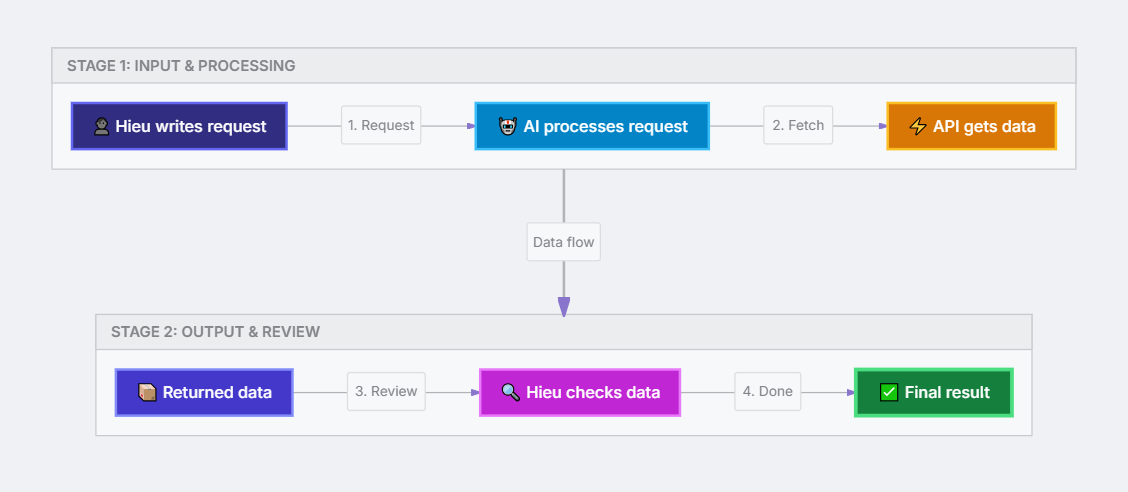
The easiest mental model for me is a specialized service team backing Craft Agents:
- Craft Agents understands your goal and coordinates tasks.
- Source is the established connection to a service or data provider.
- API provides specialized data or capabilities.
- Tool is the specific action Craft Agents can execute through a Source.
Open-Meteo: A Safe Bet for Beginners with Read-Only APIs
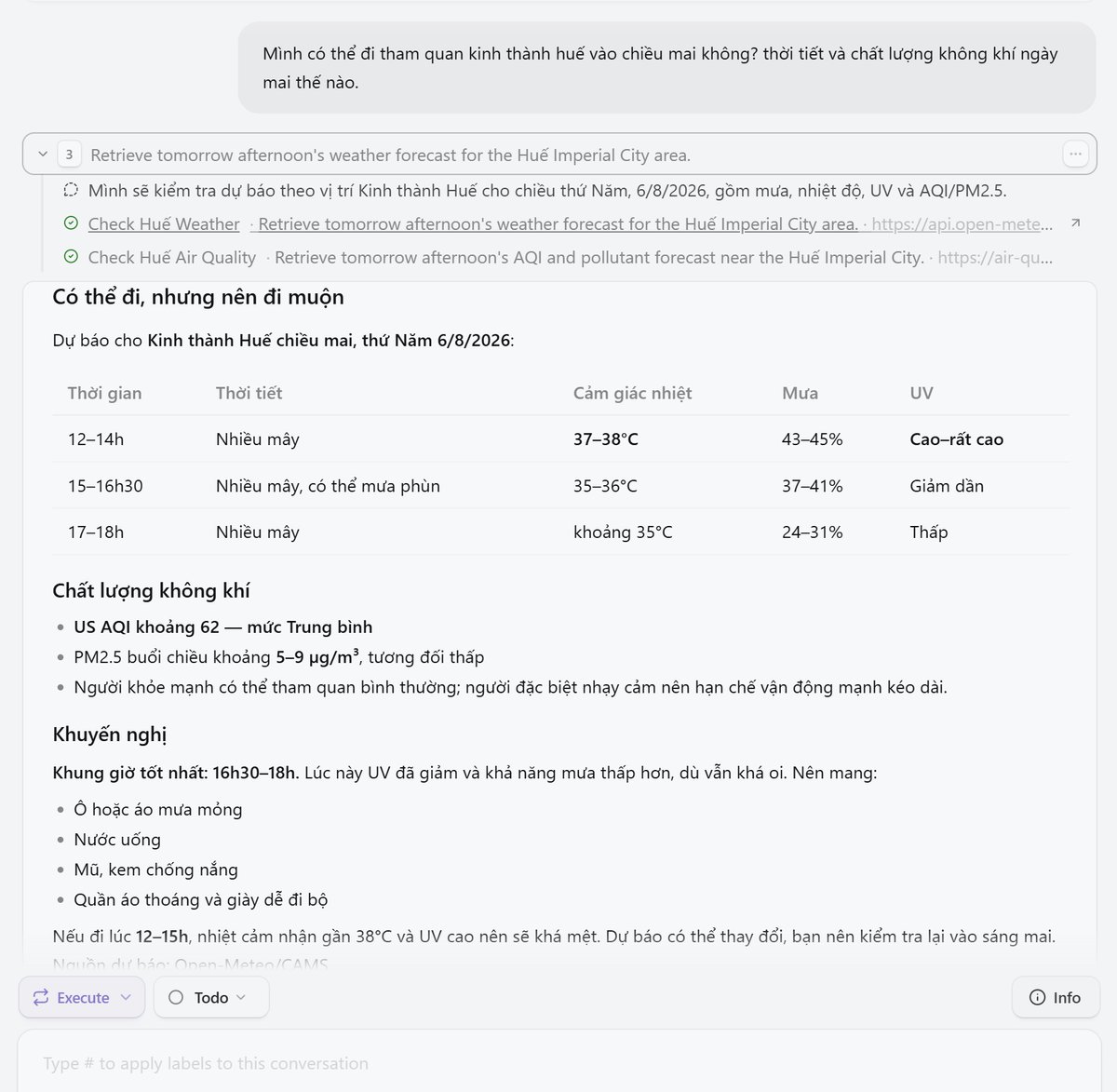
I cross-checked the results with my usual mobile weather app, and they matched up nicely.
Why Is This API the Safest First Step for Beginners?
Open-Meteo Air Quality gave me a clear, low-friction win: no account sign-up, no API keys, no OAuth flows, and no write permissions needed. I picked the Source, described the location, timeframe, and metrics I wanted, and Craft Agents handled the request, formatting the output into a clean table.
The best part wasn't a single data point—it was going from an everyday question to timestamped, unit-specific data without building raw API requests manually. The API is simple enough to try immediately, yet practical enough for real daily decisions.
Tackling a Harder Workflow: Exa, Firecrawl, and Google Sheets
The second test was a step up in complexity:
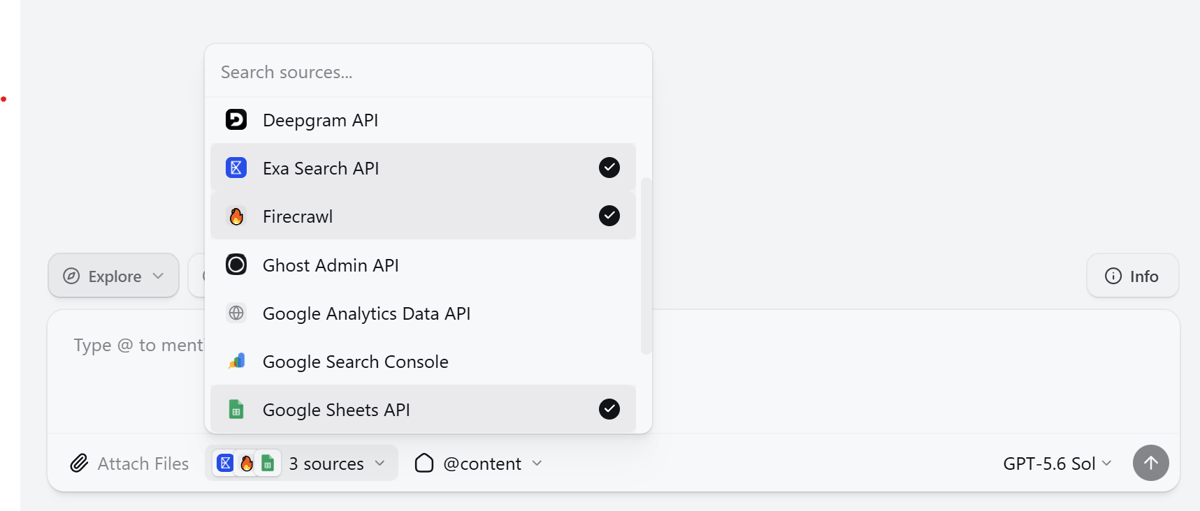
Requirements & Context
- Goal: Find 20 public companies featured in the SEC EDGAR Daily Master Index for August 3, 2026, with Form 10-Q filings containing valid EINs and official responsive websites.
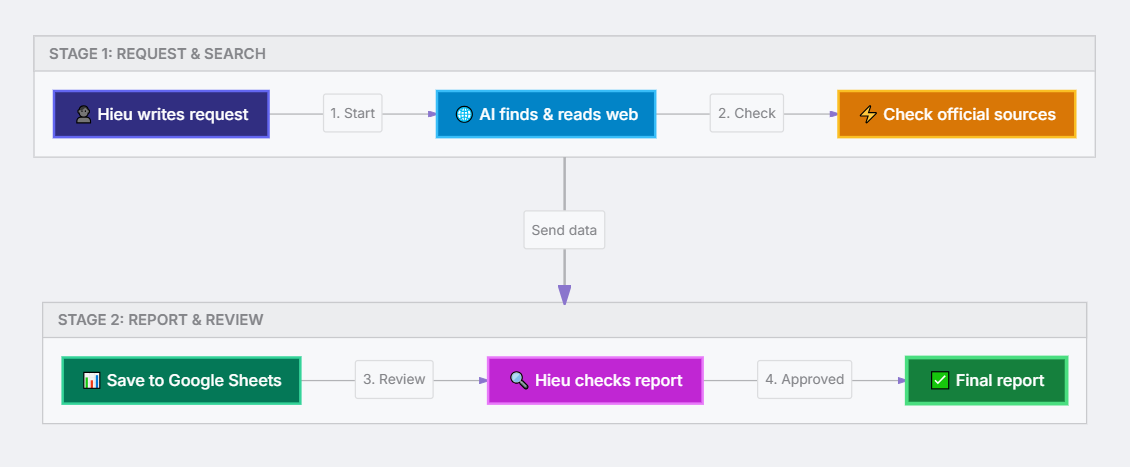
- Aggregation: Cross-reference official sources and export clean row/column records directly to a Google Sheet.
- Combined Source APIs: Exa Search (Deep semantic search), Firecrawl (Web crawling & content extraction), Google Sheets (Automated report logging).
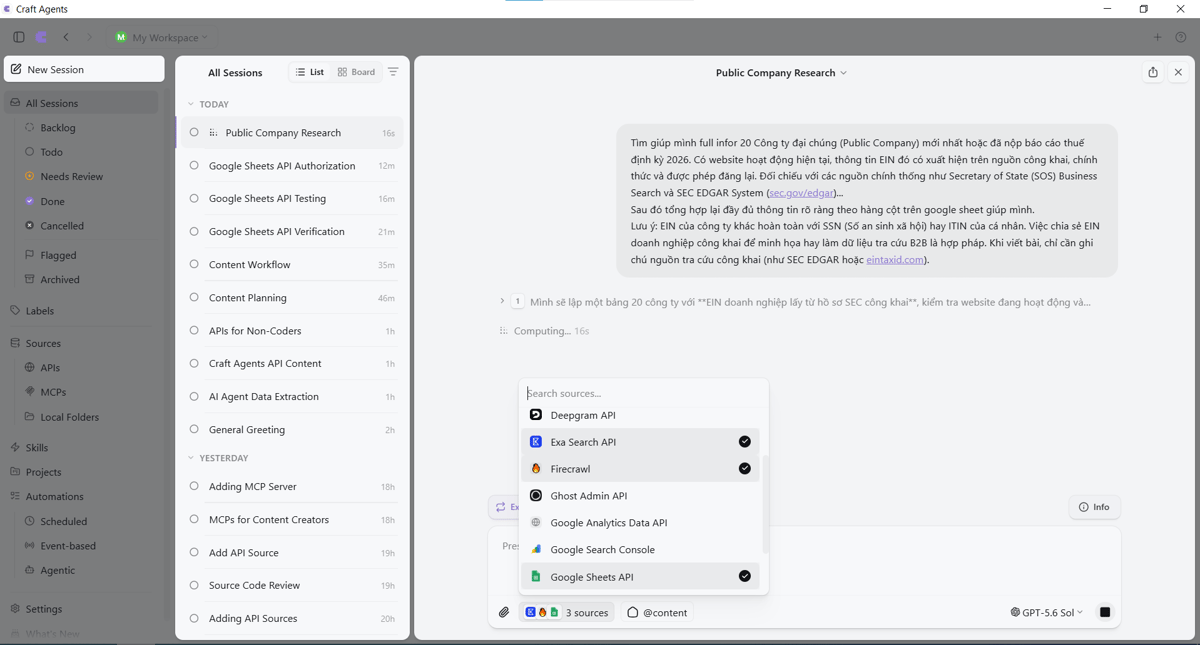
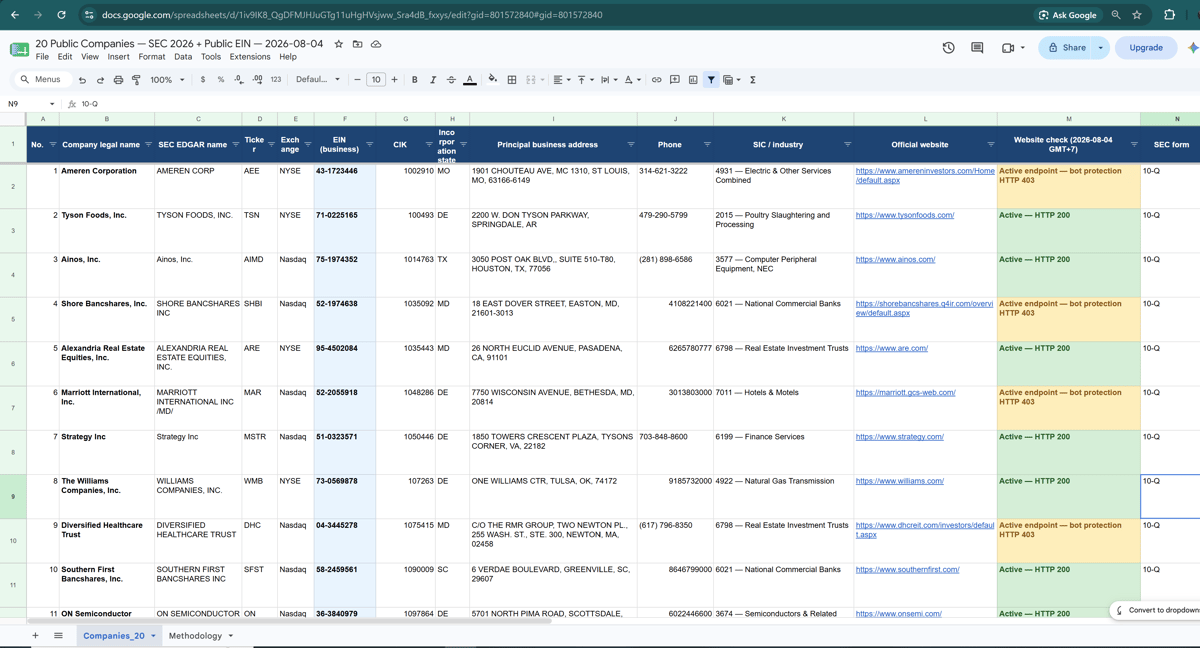
The prompt specified source criteria, data fields, and delivery format.
Completed Report & Results
- Google Sheet Link: Open Google Sheet – 20 Public Companies, SEC 2026 & Public EIN
- Data Content (20 Companies × 25 Fields):
- Legal Name, Ticker, Exchange.
- Corporate EIN, CIK.
- State of Incorporation, Address, Phone, Industry/SIC.
- Official Website & HTTP status check results.
- Reporting Period, Filing Date, Accession Number, SEC Filing link containing EIN.
- SOS Lookup Portal & Verification Notes.
- Verification Results:
- 20/20 EINs extracted directly from official SEC Form 10-Q/10-K filings.
- 20 unique CIKs and EINs, with zero missing or duplicated records.
- 14 websites returned HTTP 200; 6 official websites returned HTTP 403 due to anti-bot protection.
Legal Note: Form 10-Q and Form 10-K are periodic SEC filings, not IRS tax returns. Corporate EINs are business tax IDs, not personal SSNs or ITINs.
Where Was the Time Saved?
| Method | Time | Main Tasks |
|---|---|---|
| Manual | Estimated 6h25m–11h10m | SEC lookup, EIN/CIK extraction, website checks, source verification, data entry & formatting |
| Craft Agents + APIs | ~15 minutes recorded run | Agent searches, extracts data, checks HTTP status, and logs directly to Google Sheets |
| Estimated Difference | 6h10m–10h55m (~96%–98% saved) | Most of the saved time comes from eliminating repetitive manual steps |
The 96%–98% figure illustrates the scale of time saved, but it is an estimate rather than a side-by-side timed benchmark. The manual breakdown assumes 17–29 minutes per company plus 45–90 minutes for spreadsheet setup and QA. Actual time varies based on experience, site speeds, and verification depth—but of one thing I am certain.
Time savings spanned the entire workflow: searching filings, reading pages, checking websites, standardizing fields, and compiling reports. What I still had to do was audit key records, understand that an HTTP 403 status doesn't mean a website is down (which I verified manually), and confirm sources before sharing. The agent handled repetitive tasks; I retained editorial judgment.
What surprised me even more than the speed was seeing structured output pushed directly into Google Sheets, ready for immediate review.
APIs Provide Reliable Answers, But Verification Builds True Confidence
Across these two hands-on case studies with Exa, Firecrawl, Google Sheets, and Open-Meteo Air Quality API, I realized the hard part isn't just getting an API to return data. The critical part is understanding what that data means and how far you can trust it. Before using output in my content, I follow these five verification steps:
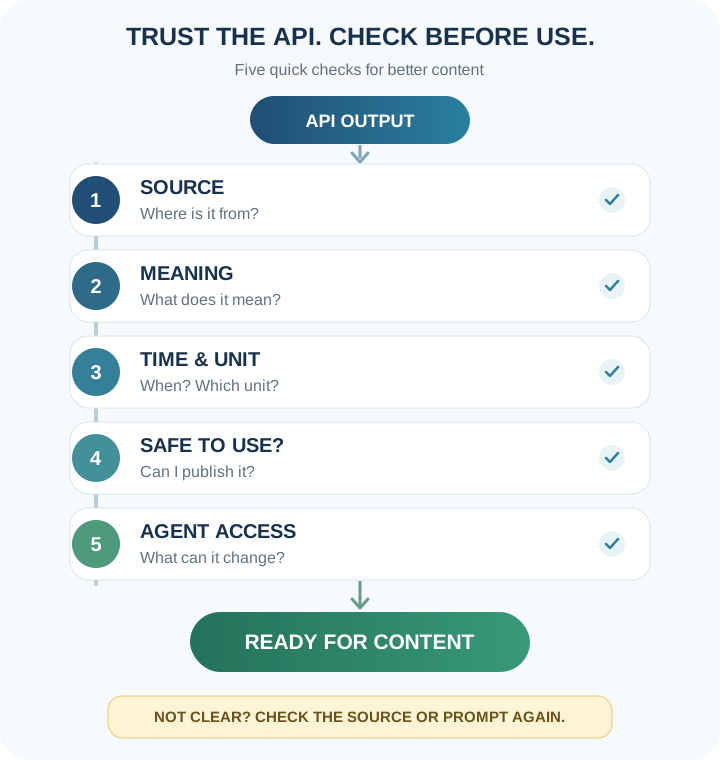
Trust APIs, But Double-Check Before Using
-
Source
Where is the data coming from? Prioritize official or transparently sourced data. -
Meaning
What do the numbers and fields actually represent? Avoid guessing missing parameters. -
Timestamp & Units
What timeframe, timezone, and measurement units apply to this data? -
Usage Safety
Check republishing rights and strip sensitive information before sharing publicly. -
Agent Permissions
What can the agent read or alter? Grant only necessary, minimum access permissions.
| Great Starting Points | Hold Off For Now |
|---|---|
| Public, read-only APIs with small output | Granting write/publish permissions to live systems |
| Single source with easily verifiable fields | Scraping bulk data without reading Terms of Service |
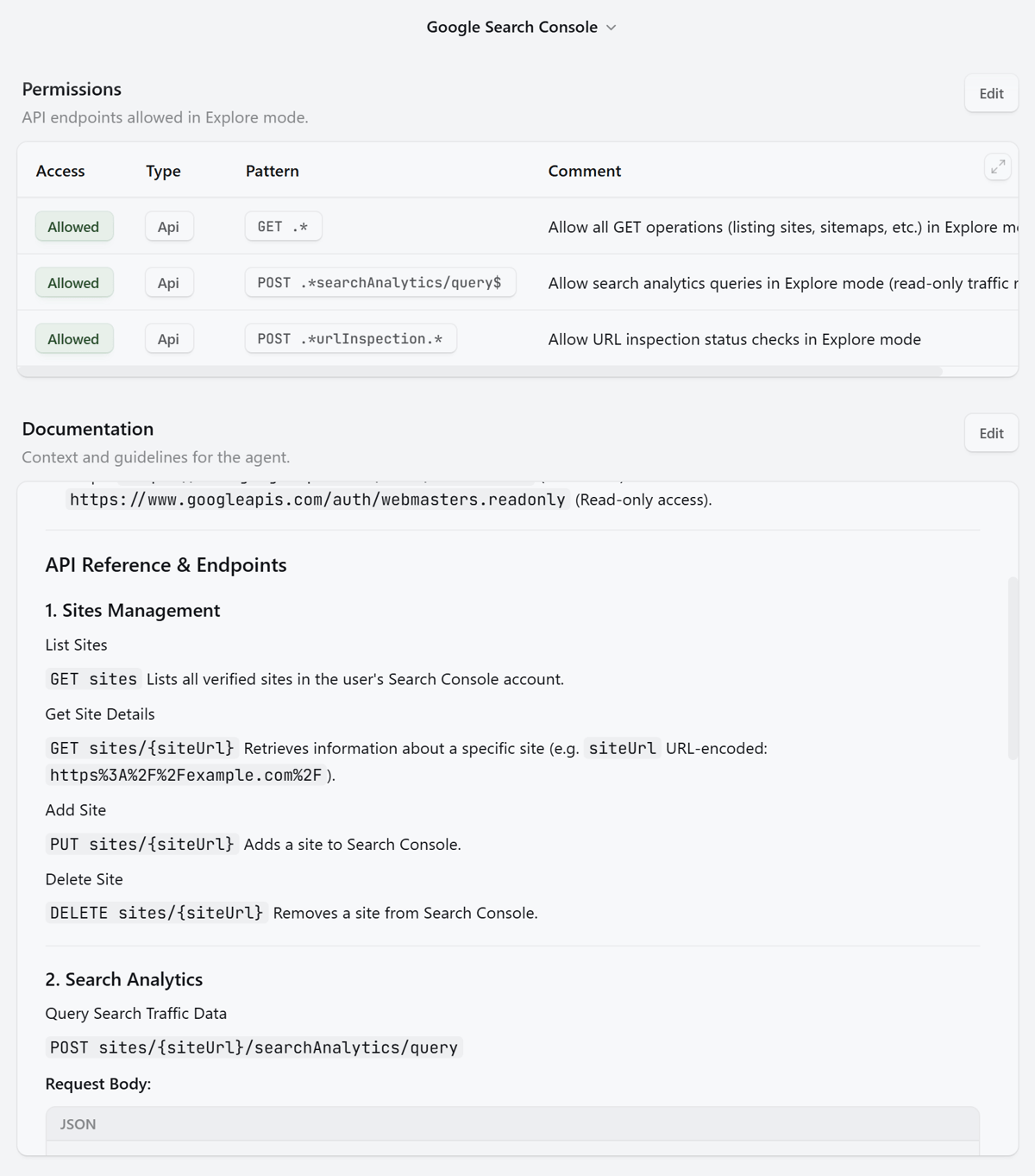
Read-only access
Beginners don't need deep coding skills to try APIs. But we still need to understand what data we're asking for and take responsibility for how we use the output. Fact-checking isn't an afterthought at the end—it's an essential workflow step.
An HTTP 403 response isn't enough to claim a website is dead; it simply means the request was blocked by anti-bot checks. This checklist doesn't speed up the workflow, but it prevents trading reliability for a pretty report.
Key Lessons After Testing Two API Workflows
After running these two case studies and verifying the data, I took away five key lessons:
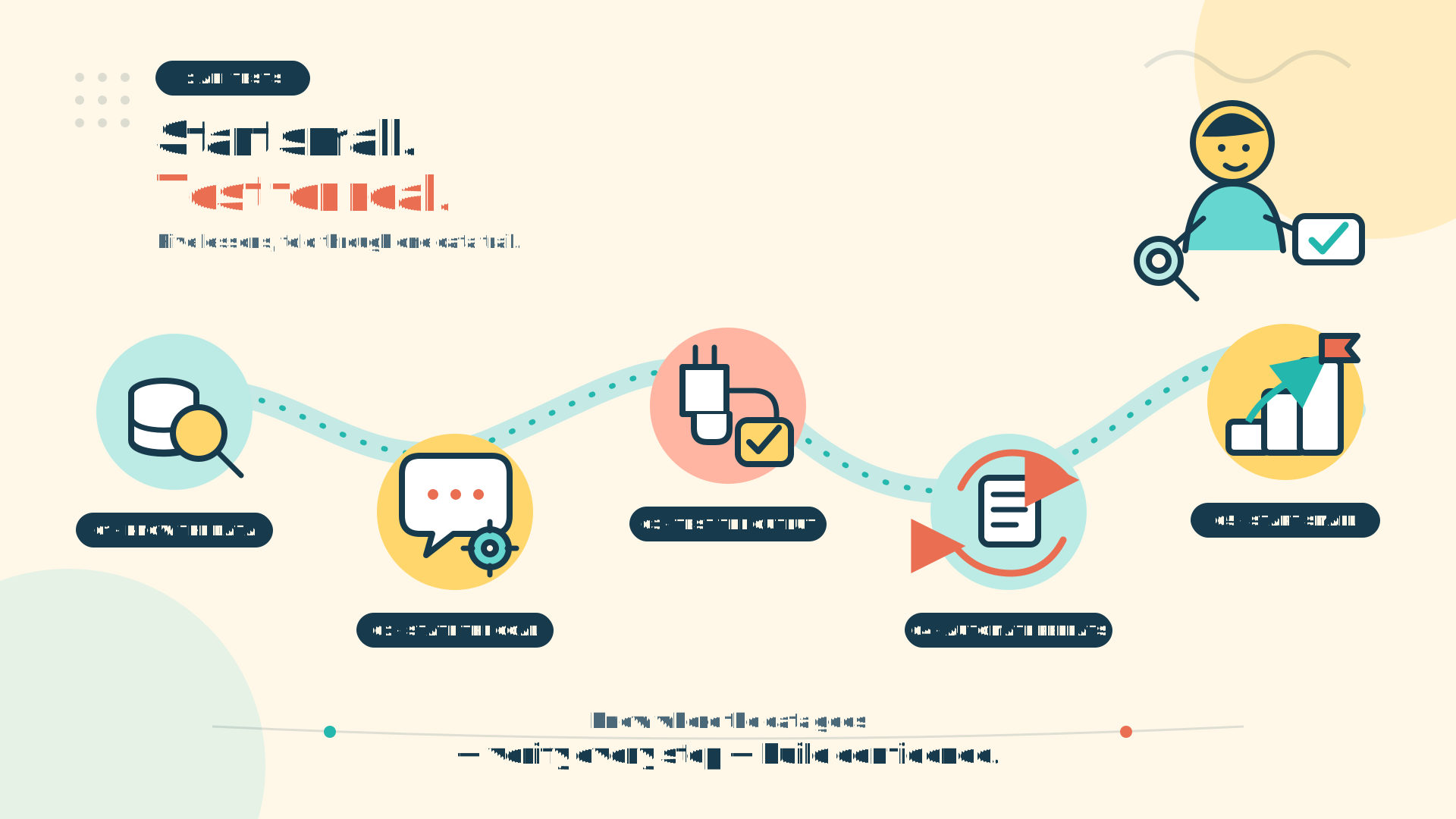
- You don't need heavy coding skills to start. I didn't need to master REST, headers, or JSON schemas to test a read-only API, but I still had to understand the data I requested.
- Conversation lowers barriers without erasing technical realities. Describing goals in plain language is easier for non-coders; experienced devs might find waiting for agent prompts slower than editing config files directly.
- Tested Sources matter more than added Sources. Only real output reveals whether connections, fields, and permissions are properly set up.
- APIs excel at repetitive work. Finding filings, scraping pages, standardizing fields, and writing to Google Sheets saved me the most effort. The criteria and final decisions remain mine.
- Start with a task, not a tool name. A small request with a few verifiable fields teaches you the workflow far better than adding a dozen APIs and wondering what to test.
Start Small, Test Real Output: Confidently Say "It's in the Bag!"
Hands-on testing completely shifted how I view Craft Agents. It's no longer just a chat window where I type questions and wait for paragraphs of text. With the right APIs connected, the agent reaches out to external services, fetches data, and organizes it into neat tables tailored to my request.
Describing needs in plain language makes APIs vastly less intimidating for content creators who don't want to decipher developer documentation or tweak config files by hand. But let's be honest: an API is still an API. Endpoints, permissions, and data accuracy don't magically disappear—you still need to check them. Having a long list of connected Sources looks impressive, but unless a workflow produces real output, it isn't done.
If you're non-technical like me, start with a lightweight API: pick a public, read-only option like the Open-Meteo Air Quality API. Prompt it with a short query, see clean data come back, and... that's it!
Confidence doesn't come from hype like "no coding required." For me, confidence comes from knowing what I need, where the agent fetches data, and verifying the output myself before using it.
"...And once you've audited the real output and everything looks solid, you can confidently declare like a classic Dota 2 player: It's in the bag!"

What's Next: Exploring MCP with Craft Agents
This journey is just getting started. In my next post, I'll explore MCP (Model Context Protocol) in Craft Agents—specifically how agents get authorized to interact with external apps.
Instead of stopping at theoretical concepts you can easily Google, I plan to set up and test simple workflows hands-on. I'll document my experience transparently—showing what worked, what fell short, where I stumbled, and what I learned along the way.
My goal isn't to rush to prove I've mastered AI, but to build genuine understanding step by step based on real testing. The more I learn, the clearer it becomes that giving agents more capabilities must go hand-in-hand with understanding access rights, data flows, and control boundaries.
If you're also exploring MCP and want to follow along, subscribe to the newsletter at Sonjj.com. I won't promise a rigid publishing schedule, but I'll keep sharing insights whenever I have verified findings to report.

Until next time!
No spam, no sharing to third party. Only you and me.